 RSS Feed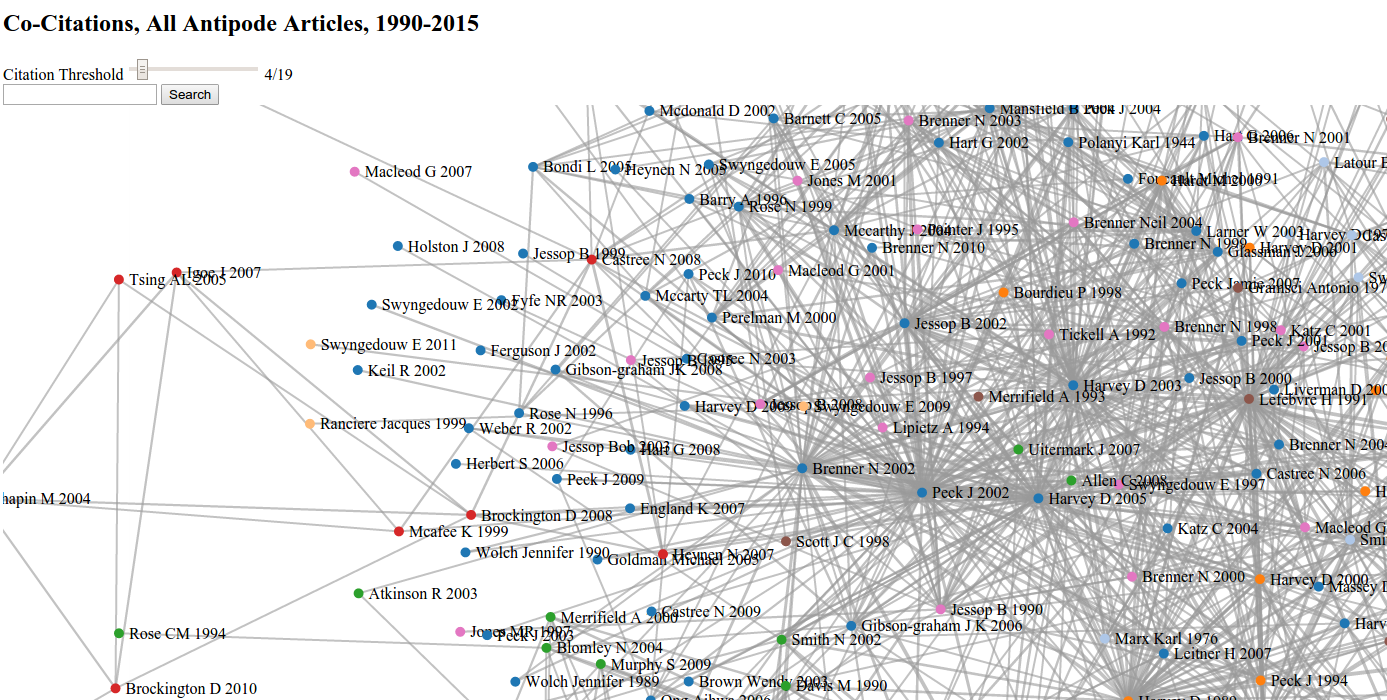
In an attempt to trace a history of radical thought within the discipline of geography (and assemble a reading list for my qualifying exams), I’ve been experimenting with co-citation visualizations. These network graphs rely on citation data from Web of Science, connecting texts that are cited together a minimum number of times, as indicated by the citation threshold slider. I focused mostly on the journal Antipode, which has offered a “radical (Marxist/socialist/anarchist/anti-racist/feminist/queer/green) analysis of geographical issues” since its founding in 1969. Unfortunately, Web of Science only indexes Antipode articles from 1990 through 2015. But I was able to see how older Antipode articles have been taken up by three major English language geography journals (The Annals of the Association of American Geographers, Progress in Human Geography, and Transactions of the Institute of British Geographers) by mapping co-citations of Antipode articles within them. This allowed me to go back to 1969 for the Annals, 1982 for Progress, and 1970 for Transactions and produce this graph:
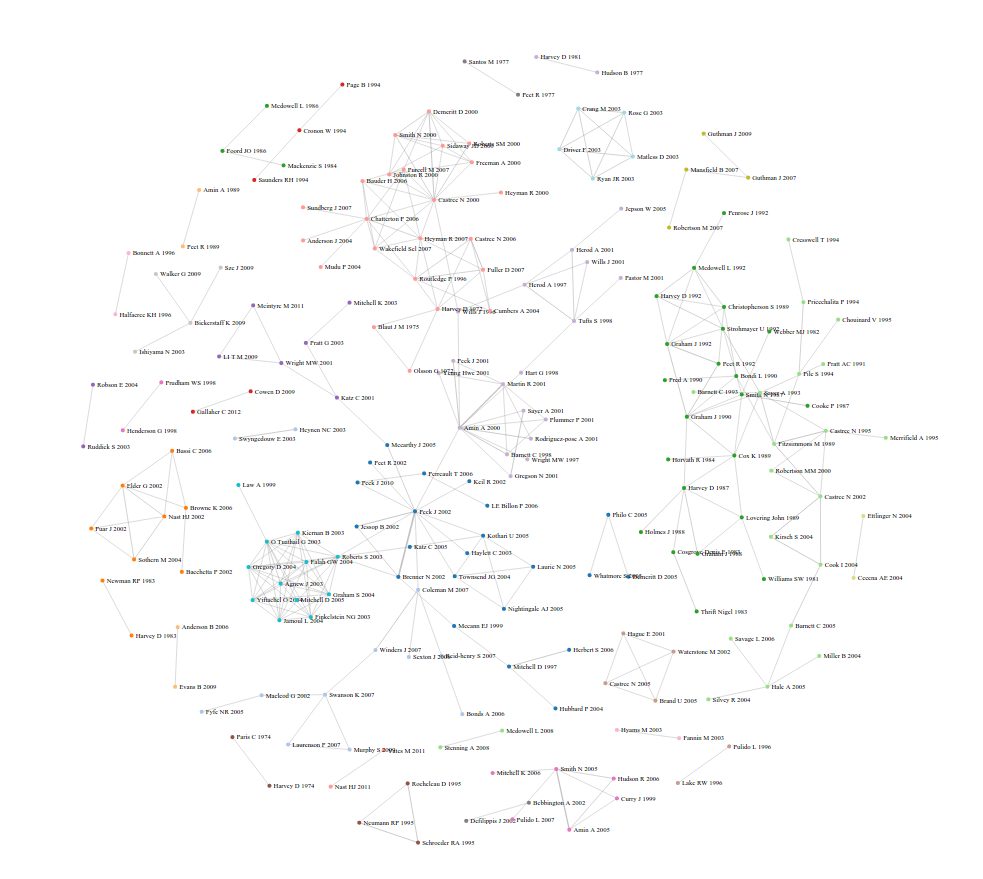
Zooming in reveals discussions within the discipline. For example on the left, we find five scholars debating visuality within geography in a special issue in Antipode, while on the right, we find an ongoing discussion about the university, education, and pedagogy:

Below are all of the graphs I’ve done so far. Let me know if you find any interesting patterns!
Co-Citations, All Antipode Articles, 1990-2015
Co-Citations in the 50 Most Cited Articles, Antipode, 1990-2015
Co-Citations of Antipode Articles in Antipode, 1990-2015
This work relies on code written by number of people. I used Neal Caren’s python script with slight modifications to convert the Web of Science data into a D3 graph. Kieran Healy’s code helped me modify the visualization. And Jonathan Goodwin’s code and write-up were super helpful in adding the citation threshold slider and putting everything together.